Case study 02 · Self-serve purchase funnel and analytics console
Buy Online: quote to checkout without a phone call
Buy Online is the self-serve path from “what do you drive?” to a paid protection plan. I designed the purchase flows for auto and home, redesigning the quote step twice, and colleagues built most of them. Alongside the funnel, I designed and built most of an internal console, front end and back end, that shows the team conversion, drop-off and the performance of leads from the AI assistant.
- Company
- CoverageX
- Role
- Software engineer and product designer
- Year
- 2025–2026
- Disciplines
- Design · Frontend · Backend · AI
01 The brief
The goal was to make buying a plan online as trustworthy as buying one by phone, and to let the team see where visitors left the funnel.
- Self-servequote to checkout without a call
- One consolefunnel, drop-off and A/B test management
Who buys, and what earns their trust
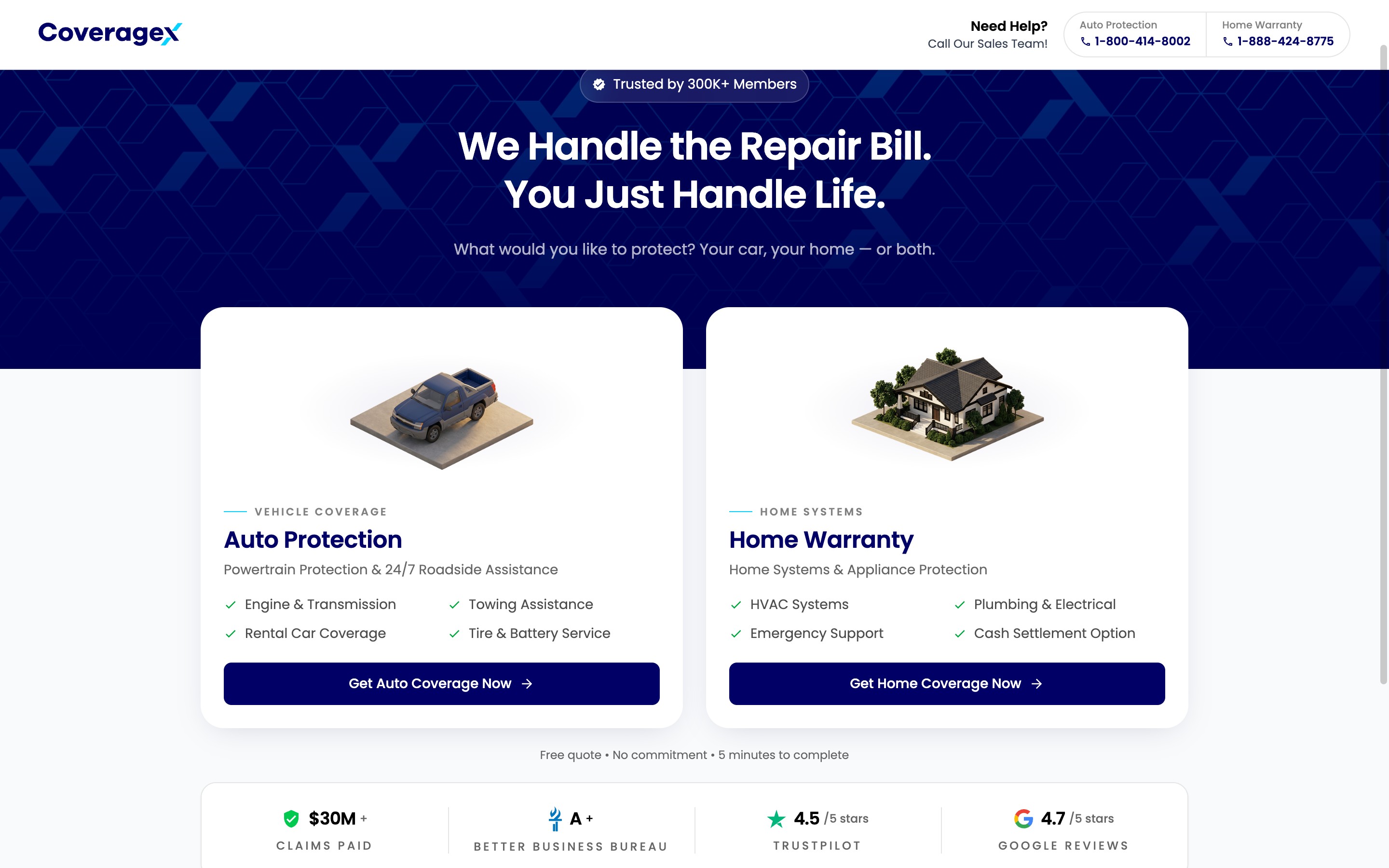
Buyers arrive choosing between two products, auto protection and home warranty, and each has its own funnel: six steps for auto and five for home. The landing page puts that choice first, beside a trust strip showing claims paid and ratings from BBB, Trustpilot and Google, because the visitor is deciding whether to trust the company before sharing any details.
One topic per screen
The quote step is where people decide, and I redesigned it twice. The version that shipped keeps each label visible once a field is filled, and ends with an explicit review step.
A persistent step rail shows progress throughout, and I also designed the error and session-expired screens.
A console that shows where buyers leave
I designed and built most of an internal console for the team. It shows conversion and drop-off for each step and how leads from the AI assistant perform, and it manages A/B tests.
An AI chat panel lets staff ask questions about the numbers in plain language.
Saves that cannot overwrite newer changes
The console saves with a version check. If a save is based on an out-of-date version, the server refuses it, and the console keeps the person’s edits and asks them to try again.
Resume by text message: a fix the data found
The drop-off view showed visitors leaving part-way through a quote. In response, I proposed and specified a way back that needs no account: a returning visitor enters their phone number, receives a one-time code by text message and picks up the saved quote.
The specification also covers what happens after purchase. Once a plan is bought, the “back to your quote” link stops working, so a purchased plan can never be quoted again.
How I work
The same process runs on every project. I own the design throughout; the build is a team effort in which I build much of the front end. This is what each stage looked like here.
In general
I review what exists and talk to the people closest to the customer. Then I write the brief, before opening Figma.
- Brief
- Audit
- Journey map
On this project
I mapped where the phone sales conversation lost people and where the web funnel lost their trust.
Highlights
- Error and session-expired screens are designed as part of the funnel.
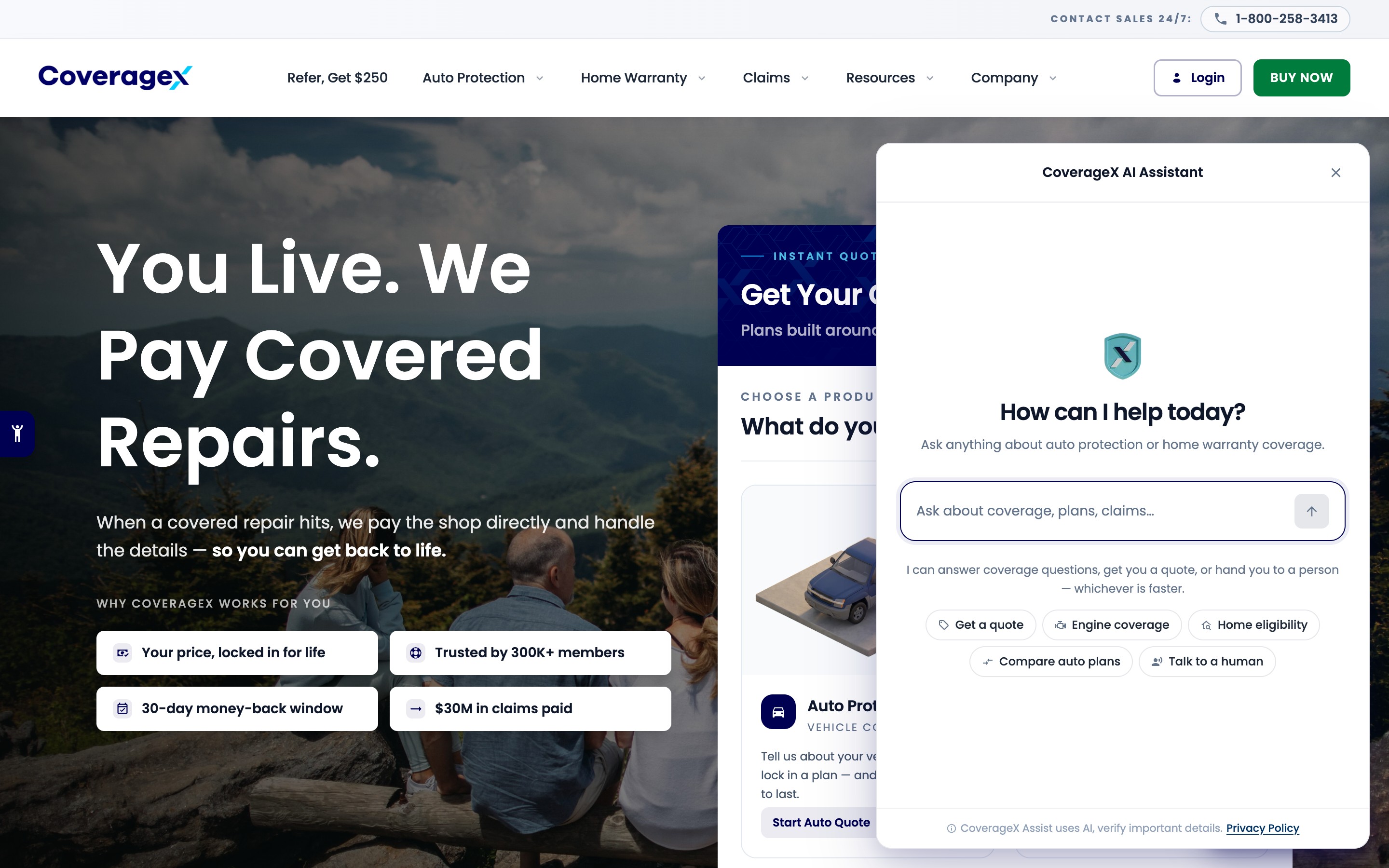
- The AI assistant opens beside a step without leaving the funnel, and progress stays saved.
- On a phone, the step rail collapses into a single progress line.
Outcome
Auto and home buyers can go from quote to a paid plan without a phone call. The team sees conversion and drop-off for each step. Resume by text message is proposed and specified.
What I’d do differently
I redesigned the quote step twice. Putting the first version in front of a few real buyers before building it would probably have saved one of those rounds. Next time I would build the drop-off view first, so the redesign has a baseline to beat.
11 Screens · 8 captures
Select a screen to enlarge
01 Landing page with the choice of auto or home, beside a trust strip of claims paid and BBB, Trustpilot and Google ratings.
02 Auto funnel at step 1 of 6, with a persistent step rail and one topic per screen.
03 Home warranty funnel at step 1 of 5.
04 Landing page on a phone.
05 Step 1 on a phone, where the step rail collapses to a progress line.
06 AI assistant open beside the owner step, explaining cover and next steps while progress stays saved.
07 Full-length landing page.
08 Full first step, including the “Why CoverageX” panel.