Case study 03 · Customer support assistant with an in-chat quote flow
Designing the CoverageX AI assistant
The CoverageX AI assistant answers coverage questions, gives real quotes and hands over to a person when it should. It began as a proof of concept. I designed the conversation, the widget and the admin console behind it, and proposed an evaluation approach for the assistant.
- Company
- CoverageX
- Role
- Software engineer and product designer
- Year
- 2026
- Disciplines
- Design · Frontend · Backend · AI
01 The brief
The goal was an assistant that answers routine questions and quotes without a wait, and never invents coverage terms or prices. An assistant that guesses about a contract does more harm than having none.
- Real quotesprices come from the company’s quoting system
- Liveinside the Buy Online checkout
- One tapto reach a person from any point
Who it serves, and the lines it must not cross
Three kinds of people open the widget: someone deciding whether a plan is worth it, a member with a question about their cover or a claim, and a visitor who wants a price now. They need accurate explanations of coverage terms, a real quote and an easy way to reach a person.
Those needs set the constraints. A protection plan is governed by contract language, so a confident wrong answer is a liability. Prices must come from the company’s quoting system. One service had to support more than one brand. And every conversation had to be measurable.
From proof of concept to production
The assistant began as a proof of concept. It reached production in three phases: hardening, a quote flow inside the chat, and an assistant inside the Buy Online checkout. Hardening came first, because the assistant needed defined limits before it took on more.
I shaped the service around clean architecture: domain rules at the centre, application use cases around them, and adapters for the model, the database and the quoting system at the edge. That separation let each later phase add capability around the core.
Conversation design before model work
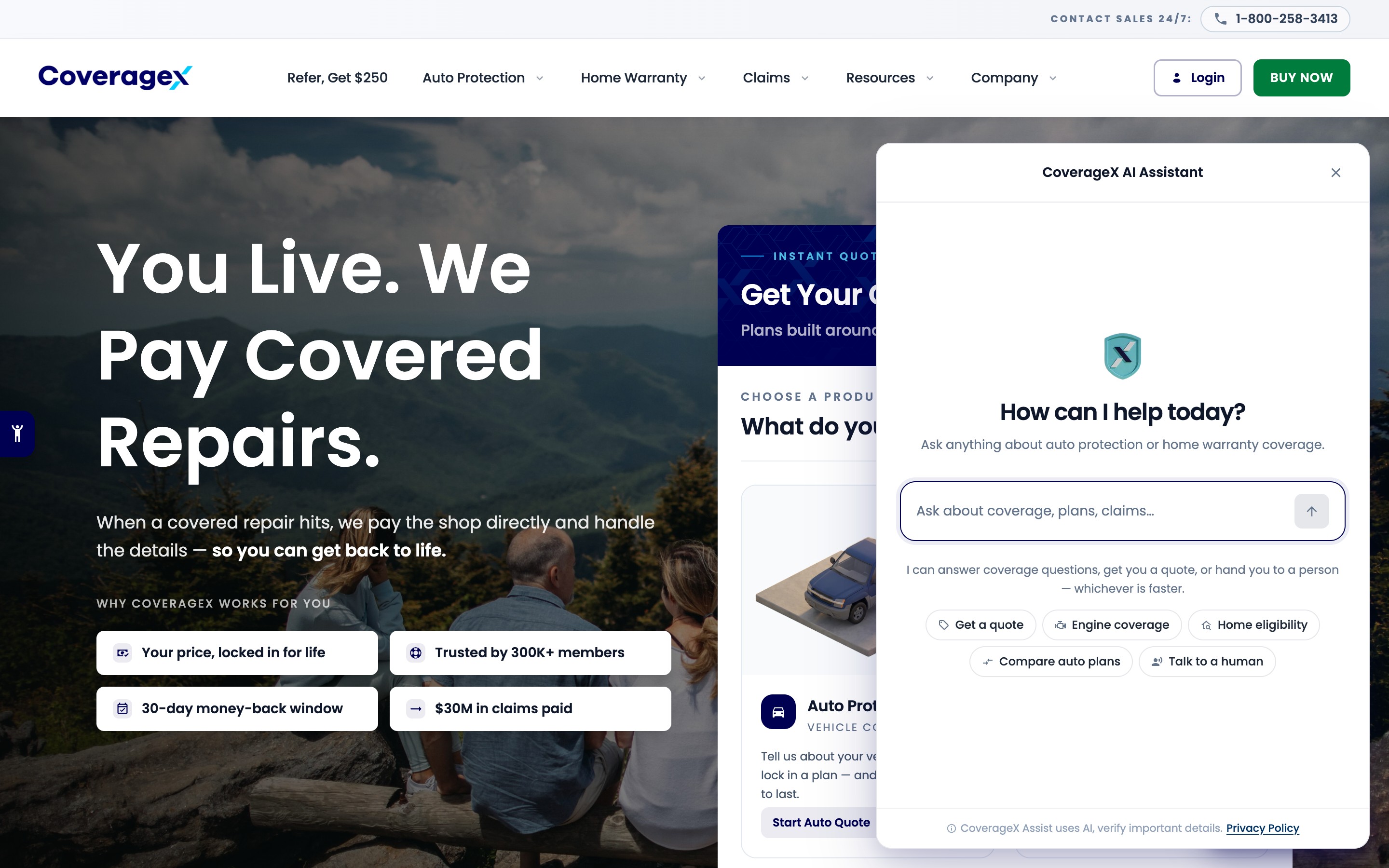
The opening state says plainly that the visitor is talking to an AI, states what it can help with and offers five suggested intents, including “Talk to a human”, so nobody faces a blank box.
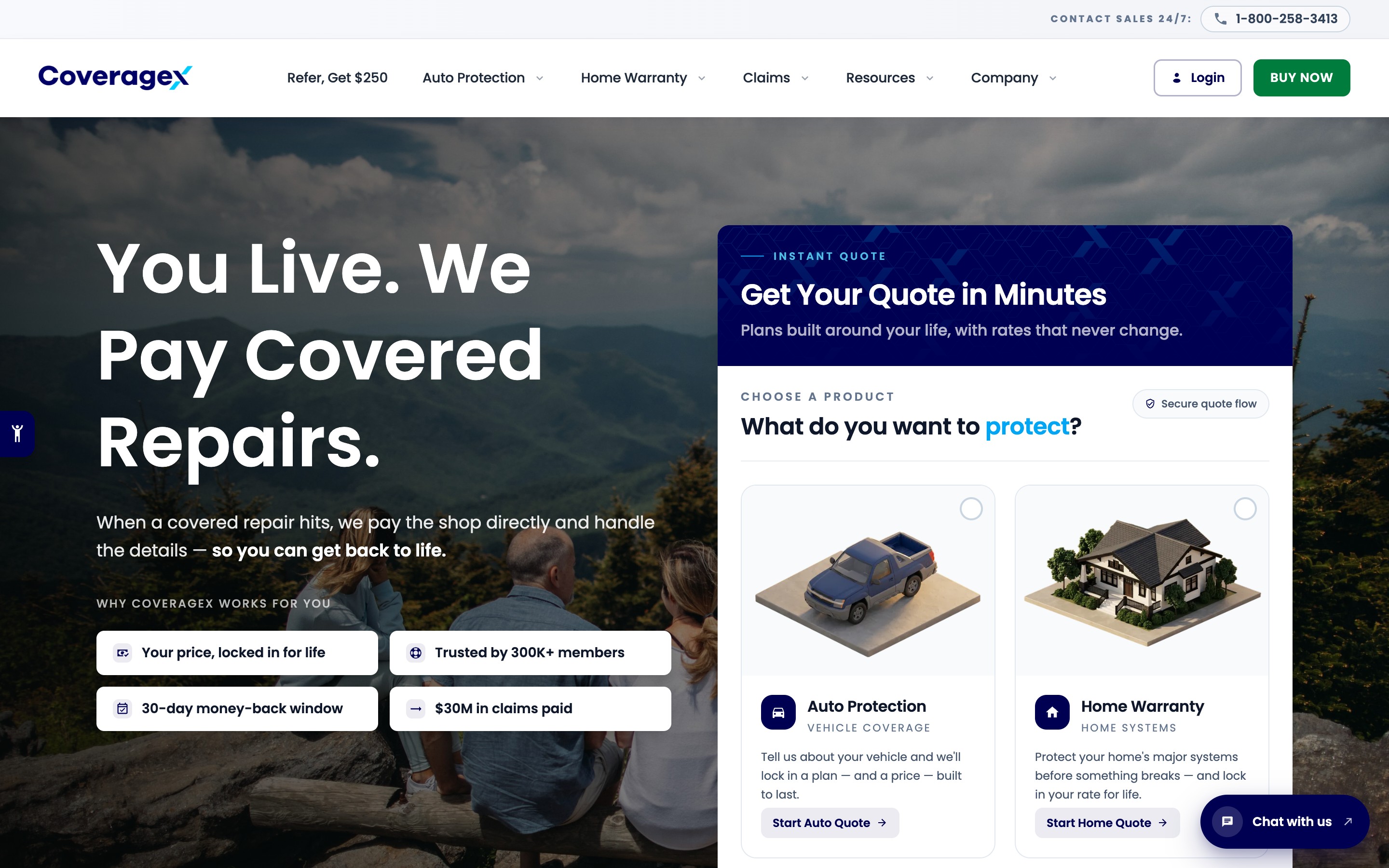
The widget is a pill on every marketing page that opens into a panel placed clear of the main call to action. Typing and tool-running states show that work is happening, and the chat ends with a summary the person can keep. The tone is plain, warm and specific, with no marketing voice inside an answer.
In the real widget, people can ask for a person or end the chat at any time.
Deciding what it won’t answer
A scope check classifies every message before the model answers. Off-topic requests get a plain one-line boundary. When someone asks for a person, or the assistant is unsure, it hands over with a summary of the conversation so far. Refusals read like something a support agent would say, and the assistant collects only the personal data a task needs.
If the model is slow or unavailable, the widget says so and offers a person. If a tool fails, the visitor sees a plain message. Every conversation closes with a recorded outcome, so an abandoned chat is never counted as a lead.
Answers only from an approved knowledge base
Coverage questions are answered from an approved knowledge base for each brand, written from its plan terms, FAQs and claim guides, and the model is instructed to answer only from it. When the answer is not there, it says so and offers a person.
The model gathers facts; the quote sets the price
I designed an MCP server for the quote flow (MCP is a standard way to give a model tools it can call), and built it with the auto and home quote tools and the assistant’s client. Each tool has a typed input and a plain-language description of when to use it.
The model asks for the vehicle’s year, make and model, calls the tool and shows the plan and price it returns unchanged. It decides only when to call the tool and how to explain the result.
The assistant inside checkout
Inside the Buy Online checkout, the assistant knows which step the person is on and what they have entered. It can explain a plan difference, clarify a deductible or answer “what happens if I cancel?” without asking them to repeat anything.
It cannot change the quote. That stays with the form, which keeps the audit trail intact.
An admin console for the team
So the team could support the assistant, I designed an admin console alongside the widget. Brands are configured there as settings bundles that import and export as files.
I proposed an evaluation approach that replays test conversations against the assistant: reference conversations for supported tasks and adversarial prompts for scope and safety. I built most of it, with a teammate.
The dashboards report whether each task was completed, how often a person was needed and why, and where conversations end.
How I work
The same process runs on every project. I own the design throughout; the build is a team effort in which I build much of the front end. This is what each stage looked like here.
In general
I review what exists and talk to the people closest to the customer. Then I write the brief, before opening Figma.
- Brief
- Audit
- Journey map
On this project
I read support transcripts to learn what people ask and where a wrong answer would cost trust.
Highlights
- A second entry point on the contact page previews the assistant beside the phone and email options.
- In the chat, a quote starts with two product cards and a step sheet for year, make, model, trim and mileage.
- In the website’s lead form, the assistant introduces each step of the quote in its own voice.
Outcome
The assistant is in production on the marketing site, in the lead form and inside the Buy Online checkout, on a service built to support more than one brand. Every price it shows comes from the company’s quoting system. The same core now runs the assistant in a second internal product.
What I’d do differently
I would start the evaluation suite alongside the proof of concept, so hardening began from a list of failing cases instead of from discovery. Next on the list are claims status as a new tool, more regression cases drawn from real transcripts and a shorter review cycle for the knowledge base.
14 Screens · 8 captures
Select a screen to enlarge
01 A “Chat with us” pill in the bottom right of every marketing page.
02 Opening state with five suggested intents, including “Talk to a human”, and a visible AI disclosure.
03 Assistant open on the home page with one question field, a plain statement of what it can do and five intents.
04 Embedded preview on the contact page with the greeting and three starter questions, beside the phone and email options.
05 Quote inside the chat, starting with two product cards and a step sheet for year, make, model, trim and mileage.
06 Assistant inside the lead form, introducing each step of the quote.
07 In-checkout assistant inside the Buy Online funnel, aware of the quote in progress.
08 In-checkout assistant open beside the owner step, with questions about required information, data safety and reaching a person.